
History filters: dates, times, attributes, and sample size
Build queries by period and game attributes without confusing filtered results with a complete sequence of rounds.
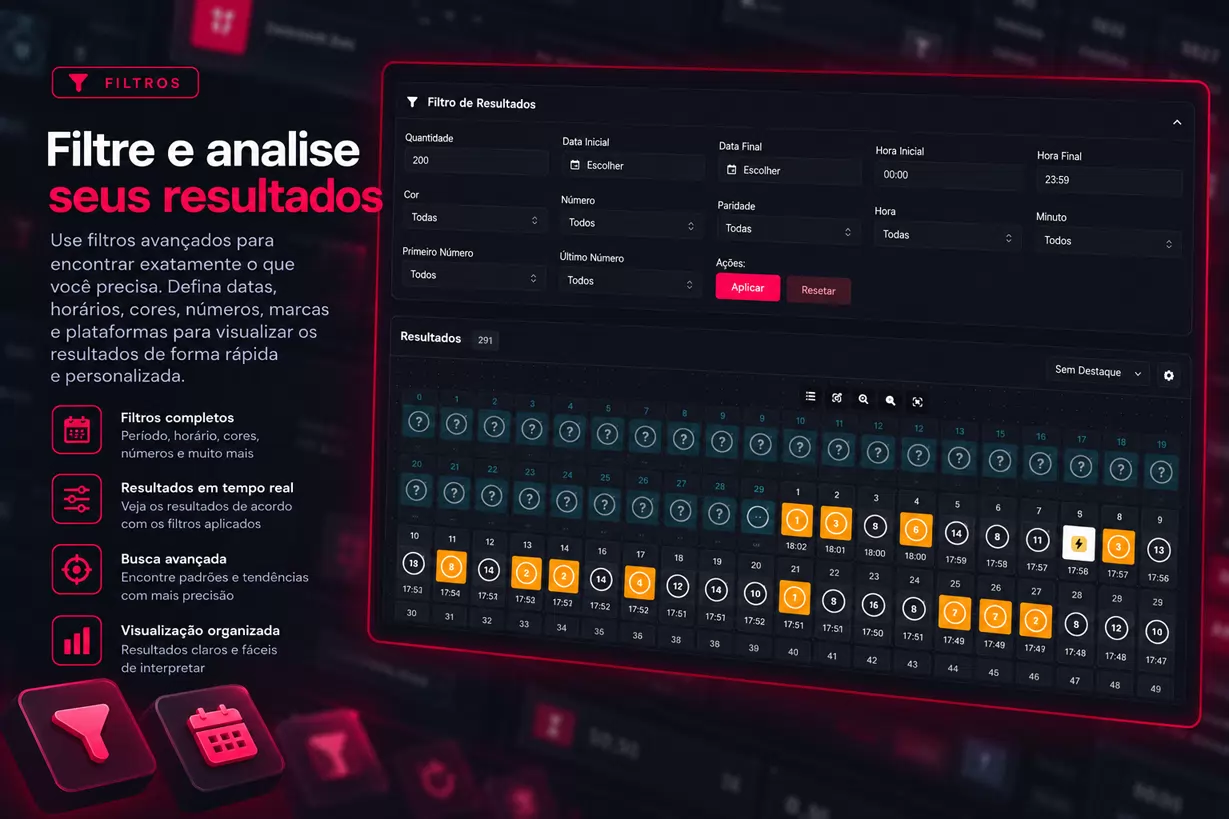
Filters allow you to search for another set of records in the history. They require login and are located in the Filters tab on the results page. The main difference compared to visual highlighting is simple: filtering changes which rounds are included in the sample.
Start with the period
Choose the start and end dates and, when necessary, specify the times. For a query from 2 PM to 3 PM on a specific day, also fill in the date: this prevents relying on the reference used when only the time is given.
The start must come before the end. Check the desired quantity and only then apply. The interface field allows requesting up to 3,000 records, but pagination and data availability also affect the results; check the actual quantity displayed after the search. The Load More button limits each increment to up to 500 records.
Add modality criteria
Double offers options such as color, number, and parity. Crash works with the attributes available for this family, and Car Roulette allows selecting the car name. There are also temporal criteria, such as hour and minute, according to the form.
The fields for the first and last digit of the minute refer to parts of the minute, not initial and final minutes of a period. Avoid combining them without understanding the intended slice. To delimit a time interval, use the start and end fields.
Preserve the query context
Imagine five rounds: red, black, red, white, red. When filtering only red, the screen may show three red pieces side by side. They did not necessarily form a consecutive sequence originally.
Before interpreting intervals, transitions, or patterns, confirm whether the filter removed intermediate rounds. Record the criteria along with any export or note. Use Reset to abandon the filtered query and return to the default loading. The filter guide helps to repeat the procedure without losing the sample reference.
